
Pop Color - Paint by number
LoveColoring GameBoard
4.81.03K Reviews
- Version
- 2.1.8
- Installs
- 1.00M
- Age Rating
- Everyone
Screenshots
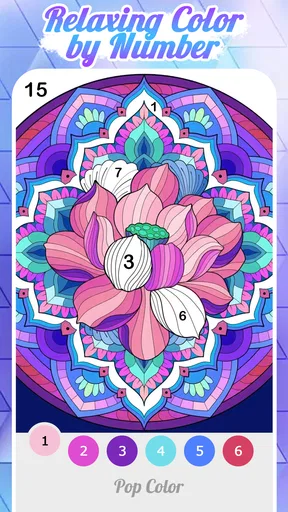
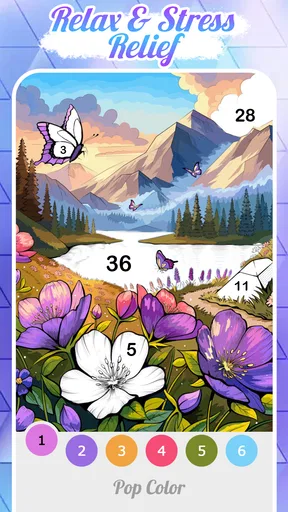
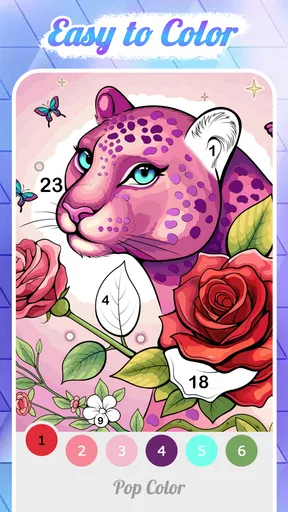
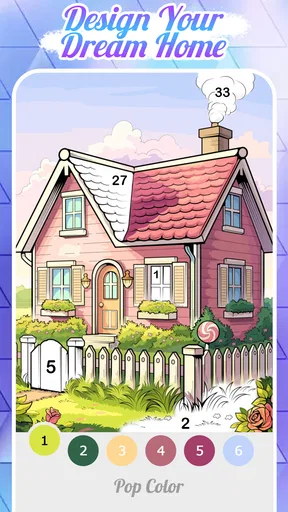
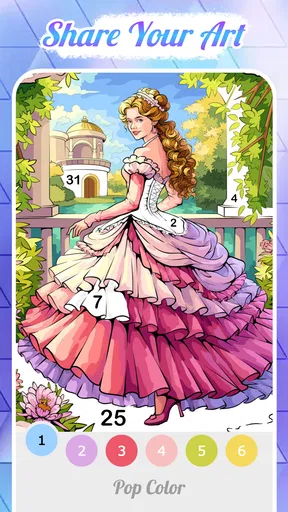

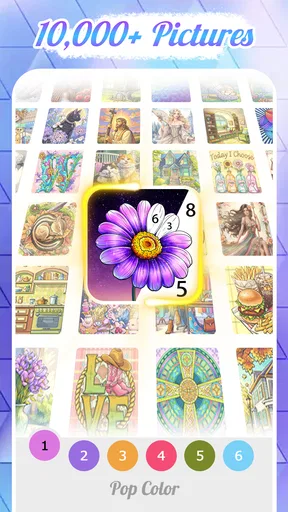
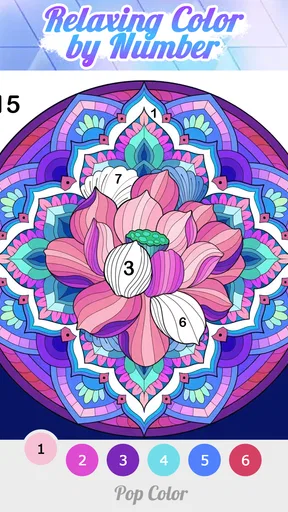
Our Review of Pop Color - Paint by number
 Analysis by Appyee
I tried Pop Color - Paint by number as the kind of game you open when you want a quiet break rather than a demanding challenge. It is a board game from LoveColoring Game, built around filling numbered areas with the matching colors. The basic idea is immediately understandable, and that simplicity is exactly why it works well on a shared phone or tablet: someone can begin a picture, pause, and hand the device to another person without needing a long explanation.
My experience was calm and pleasantly repetitive. There is no pressure to react quickly, memorize complicated rules, or compete with another player. Instead, the appeal comes from gradually turning a blank or partially colored illustration into a finished image. I would describe it as a casual coloring activity presented in game form, with enough structure to make starting easy but not enough strategic depth to satisfy someone looking for a traditional board-game contest.
A quiet game that fits naturally into shared household time
The most convincing use case is a household where one device moves between people during small gaps in the day. I can imagine opening it after dinner, completing a few sections of an image, and leaving the rest for someone else the next morning. A child might enjoy choosing colors and tapping through simple areas, while an adult uses the same game for a short wind-down session. That shared rhythm feels more natural here than in games built around personal accounts, rankings, or uninterrupted progress.
It is also suitable for a waiting room, a commute, or a short pause between tasks. Because the central action is so direct, I did not need to reserve a large block of attention. The game makes sense when I have only a few minutes, although the coloring loop can encourage me to stay longer than planned. That is a strength if I want distraction, but a weakness if I am trying to use the app as a strict timer for a quick break.
On a shared tablet, the experience is especially approachable. The larger screen gives the artwork more room and makes small numbered areas easier to identify. On a phone, the same activity is more personal and portable, but I found that accuracy matters more when the illustration contains many small sections. I would choose the tablet for a family setting and the phone for individual relaxation.
One useful household habit is to treat each unfinished picture as a visible handoff rather than assuming one person owns the whole session. A parent can leave a partly completed image for a child, or two siblings can take turns without needing to coordinate a multiplayer match. That works because the game’s core activity is self-explanatory. Still, the device itself remains the shared boundary: anyone who opens the game may be able to continue the current activity, so I would not treat it like a private diary or personal creative archive.
What the first session feels like
The first few minutes are easy to understand. I select a color or numbered area and work through the illustration by matching the visible cues. There is no steep learning curve, and the design is more about recognition and completion than experimentation. That makes the game welcoming for people who do not normally play board games and for younger users who may lose interest when instructions become too long.
The trade-off is that the same accessibility limits the sense of discovery. I am not designing my own picture, mixing colors freely, or making meaningful strategic choices. The satisfaction comes from order and completion: finding what belongs where, correcting the occasional missed area, and seeing the image become more complete. If you want an open-ended coloring tool, this will feel narrower. If you prefer a guided activity with a clear next step, the restriction is helpful.
I also noticed that the game rewards a particular kind of attention. It is not mindless in the same way as watching a video, because I still need to scan the image and locate matching sections. At the same time, it does not demand the concentration of a puzzle with a single correct solution. That middle ground is why I see it working well for decompression, especially when I want something to do with my hands while keeping my thoughts relatively quiet.
Setting boundaries before sharing the device
Before handing the device to another person, I would establish a simple rule about whose picture is being completed and whether purchases are allowed. The game is free to download, but it includes in-app purchases ranging from $0.99 to $49.99 per item. That range makes a shared-device conversation worthwhile, particularly when children use the same tablet. I would keep purchase approval with the device owner and avoid assuming that a free starting point means every part of the experience is free.
This is not a criticism of the coloring mechanic itself. It is a practical distinction between access to the game and access to optional paid items. On a personal device, I can make that decision for myself. On a family device, the person tapping through the artwork may not be the person responsible for the bill. The safest routine is to discuss that boundary before the game becomes part of a child’s regular screen time.
I would also decide whether unfinished images can be changed by the next user. A shared activity can be enjoyable, but it can also become frustrating if one person expects to preserve a particular order and another person fills the remaining areas differently. Even without formal profiles or household controls, a short agreement solves much of this: finish one picture before switching, or choose a separate image for each person.
That matters because a coloring game feels personal even when it is technically being used by several people. The completed result can represent time and attention, so overwriting or rushing through someone else’s work may create more friction than expected. Pop Color is easy to share, but the household still needs to provide the organization around it.
Coordinating turns without turning relaxation into a competition
I like that the game does not require everyone to be online or available at the same moment. A family can coordinate informally: one person colors a few areas, another takes over later, and nobody has to compare scores. This makes it more suitable for mixed schedules than a competitive board game that depends on a complete group.
For a shared session, I would use a clear turn pattern. One person chooses the image and colors for a few minutes, then the next person continues. Another option is to give each user a separate unfinished picture. The first method creates a small collaborative result; the second protects individual ownership. Neither needs a special feature inside the game, which is useful but also means the household must remember its own arrangement.
The lack of competition is a genuine advantage for siblings or partners who do not want another source of rivalry. There is no need to decide who won, and a younger player is not placed directly against a faster or more experienced one. On the other hand, people who enjoy the social energy of taking turns around a physical board may find the experience too solitary. The game supports shared access better than shared gameplay.
A realistic example would be a parent using a tablet in the evening while a child sits nearby. The parent can complete larger areas and leave smaller sections for the child, turning the picture into a low-pressure joint activity. That can work well when the goal is conversation or quiet companionship. I would avoid presenting it as an educational exercise unless the child is already interested in colors and visual matching; the game’s strongest value is relaxation, not structured learning.
Age context, trust, and choosing the right user
The content rating is Everyone, which fits the gentle, non-competitive nature of the activity. I would still judge suitability by the child, not only by the label. A child who enjoys careful tapping and repeated visual tasks may settle into it quickly. A child who needs constant novelty, physical movement, or imaginative freedom may lose interest because the guided coloring process is deliberately repetitive.
For adults, the same repetition can be the point. I found it useful when I did not want to make decisions with consequences. The numbered structure removes the question of what to draw next, while the gradual result provides a small sense of progress. This is a good match for someone who likes coloring but prefers digital convenience and does not want to manage pencils, paper, or cleanup.
Trust becomes important on a shared device because the game may be opened by people with different expectations. I would not use a family tablet without explaining the purchase boundary, and I would not assume that a child understands the difference between tapping a color option and confirming a paid item. The game can be appropriate for children, but responsible use still depends on the adult managing the device.
There is also a privacy-related household judgment that has nothing to do with the artwork itself: a shared device blurs personal activity. If one person wants a private, uninterrupted relaxation routine, a personal phone is better. If the goal is a communal, low-stakes pastime, the tablet is a better fit. I would choose the setup based on whether the household values continuity or easy handoff.
How it compares with ordinary coloring apps and board games
Compared with a traditional coloring app, Pop Color gives me more direction. I do not need to select a blank canvas, decide on a palette, or create an image from scratch. That reduces creative freedom, but it also removes the intimidation that can come with an empty page. Someone who says, “I want to color, but I do not know where to start,” is likely to appreciate this format.
Compared with a conventional board game, it has almost none of the usual social structure. There is no table setup, no pieces to lose, and no need to explain a turn sequence to several players. That makes it easier to begin and much easier to pause. The cost is that it lacks the negotiation, surprise, and meaningful decisions that make board games memorable. I would recommend it as a quiet alternative, not as a replacement for game night.
It also differs from a creative drawing app. Drawing tools reward personal expression, while this game rewards patience and visual accuracy. If I want to sketch a scene, write a note, or experiment with colors, I would choose a drawing app instead. If I want a guided activity that tells me which color belongs in each area, this is the more comfortable choice.
The strongest comparison is therefore not about which product is universally better. It is about the kind of attention I want. Pop Color is best when I want gentle structure, a visible finish line, and no pressure to perform. A more advanced coloring or puzzle app is better when I want customization, deeper challenge, or a stronger sense of personal ownership.
Small tactics that make the experience smoother
My first practical tip is to work in clusters rather than jumping randomly around the image. Completing nearby sections reduces the amount of scanning and makes it easier to notice what remains. It also creates visible progress in one part of the picture, which feels more satisfying than scattering isolated taps across the whole design.
My second tip is to use the game as a transition activity, not only as a destination. A few minutes before bed, after returning from work, or while waiting for an appointment can be enough to enjoy the loop. If I open it whenever I feel restless, I may keep playing simply because the next small area is easy to complete. Setting my own stopping point before starting is more effective than relying on the game to provide one.
A third useful approach is to match the picture’s complexity to the user’s patience. On a shared tablet, I would let a younger or less experienced player begin with a clearly readable image and reserve denser artwork for someone who enjoys detail. This is not a formal difficulty system; it is simply a way to prevent the first shared session from becoming frustrating.
For collaborative use, I would agree on whether the goal is speed or neat completion. Rushing through numbered areas may finish an image sooner, but careful scanning makes the activity more relaxing. If two people are taking turns, the slower pace is usually better because it leaves room for conversation and keeps the game from becoming a race.
Performance, access, and practical expectations
The current version is 2.1.8, and it supports devices running Android 8.0 or later. That makes checking the device’s operating system an important first step for anyone planning to install it on an older household phone or tablet. A newer device is not automatically necessary, but compatibility should be considered before building a shared routine around the game.
The game has reached over a million installs, with an average rating of 4.8 from around thirty-four thousand ratings and about a thousand written reviews. Those figures suggest that the simple coloring format has broad appeal, although they should not replace personal judgment. People who enjoy guided, repetitive activities are naturally more likely to leave satisfied feedback than people who wanted a strategic board game or a full drawing studio.
Because the game is free to start, it is easy to test with a household before deciding whether it deserves a permanent place on the device. I would use that trial period to answer practical questions: Do different users enjoy the same kind of images? Is the screen comfortable for small details? Does the purchase boundary remain clear? Those answers matter more than popularity when several people share one device.
The age rating and accessible controls make it approachable, but the game should still be treated as screen entertainment rather than an automatic solution for every quiet moment. It can occupy a child while an adult is busy, yet I would not assume that it replaces supervision or conversation. Its simplicity makes it easy to hand over; that does not remove the need for sensible household rules.
Who should choose it, and who should skip it
I would recommend it to anyone who likes paint-by-number activities, relaxing visual routines, or short sessions without competition. It is especially appealing for a household that wants one calm game on a shared device. Adults who find open-ended drawing tiring may appreciate the guidance, and children who enjoy matching colors may understand the basic loop quickly.
I would be more cautious about recommending it to someone seeking strategic board-game depth. The category label may attract players expecting planning, tactics, or meaningful choices, but the real experience is closer to guided digital coloring. It is also not ideal for users who want to create completely original artwork, because the numbered structure controls the result.
People who dislike repetitive tapping may also tire of it. The first completed picture can feel rewarding, but long-term interest depends on enjoying the process as much as the finished image. I would not install it for a household that needs strong multiplayer interaction, competitive goals, or a detailed progression system. Another type of game would serve those needs better.
Finally, families should consider the in-app purchase range before allowing unsupervised use. The free entry point is convenient, but shared devices make accidental or misunderstood spending a real practical concern. A clear rule is enough for many homes, but it should be established before the game becomes associated with unrestricted access.
My household verdict
After using it, I see Pop Color as a gentle, highly accessible board-style game that succeeds by keeping its promise small. It gives me a guided coloring task, a visible sense of completion, and an easy way to fill a quiet interval. It does not try to become a competitive board game or a professional art tool, and I think that focus is one of its strengths.
For shared use, I would install it on a tablet rather than rely on a phone, agree on turns, and discuss purchases in advance. I would let each person choose between collaborative coloring and separate pictures, depending on how protective they are of their progress. Those simple boundaries make the experience smoother without requiring complicated household coordination.
LoveColoring Game has made a free game that is easy to approach and broadly suitable for Everyone, but its best audience is specific: people who find comfort in guided repetition. I would recommend giving it a try if you want a calm shared activity or a low-pressure personal break. I would skip it if your idea of a board game involves tactics, conversation, or competition. Its real strength is not depth; it is the ease of settling into a peaceful routine.
Verdict
Strengths of Pop Color - Paint by number
- Simple color-by-number gameplay suitable for quick, relaxing sessions.
- Large variety of pictures across multiple themes and categories.
- Helpful hints make difficult or tiny sections easier to complete.
- Works well for casual players without requiring artistic skills.
- Completed artworks can be saved or shared with friends.
Limitations of Pop Color - Paint by number
- Some images and features may be locked behind premium access.
- Frequent ads can interrupt the coloring experience for free users.
- Small sections may be difficult to select accurately on smaller screens.
- The app may require internet access for certain content or features.
- Coloring mechanics can feel repetitive after extended play sessions.
Other Releases by LoveColoring Game
View All
Fairytale Color by number game
Board4.9

Tangle Color by Number Book
Board4.9

Country Farm Coloring Book
Board4.9

Pop Jigsaw - Jigsaw Puzzles
Board4.9
Similar Picks in This Category
View All
Ludo King®
Gametion4.1

Ludo
Yarsa Games4.6

Tile Master® - Matching Game
Higgs Studio3.6

Checkers Online
CC Games4.6

Dominoes
Loop Games4.7

Chess
Chess Prince4.6
Frequently Asked Questions
What is Pop Color - Paint by Number?
Pop Color - Paint by Number is a digital coloring app that lets you complete illustrations by filling numbered sections with matching colors. It includes a variety of pictures and themes, making it suitable for short relaxing sessions or longer creative breaks. The straightforward controls are easy to understand, even if you have never used a paint-by-number app before.
Is Pop Color - Paint by Number free to download and use?
The app can generally be downloaded for free, but some content or features may be limited unless you watch advertisements or choose an optional purchase or subscription. The exact availability of premium pictures, ad removal, and other extras can vary by device and app version. It is worth checking the store listing carefully before confirming any payment.
Does Pop Color - Paint by Number work without an internet connection?
Some parts of Pop Color - Paint by Number may remain available offline, particularly pictures that have already been loaded or downloaded. However, an internet connection may be required for advertisements, new image collections, updates, cloud features, or online events. If you plan to use it while traveling, open the app beforehand and verify which coloring pages are accessible without Wi-Fi or mobile data.
Is Pop Color - Paint by Number suitable for children?
The simple tap-to-color gameplay can be appealing to children, but parents should review the app’s age rating, advertising, in-app purchase options, and privacy information before allowing regular use. Some pictures may be designed more for adults, and accidental purchases are possible if payment settings are not protected. Parental controls are recommended, especially on shared devices.
What are the main advantages and drawbacks of Pop Color - Paint by Number?
Its main advantages are the easy controls, relaxing pace, broad selection of numbered artwork, and the satisfying progress system that lets you finish pictures one section at a time. It can be a convenient way to pass time without artistic experience. On the other hand, frequent advertisements, locked artwork, repetitive tapping, and possible subscription prompts may reduce the experience for users seeking completely free and uninterrupted coloring.
Play our best games!


